Rio vs ChatGPT Atlas
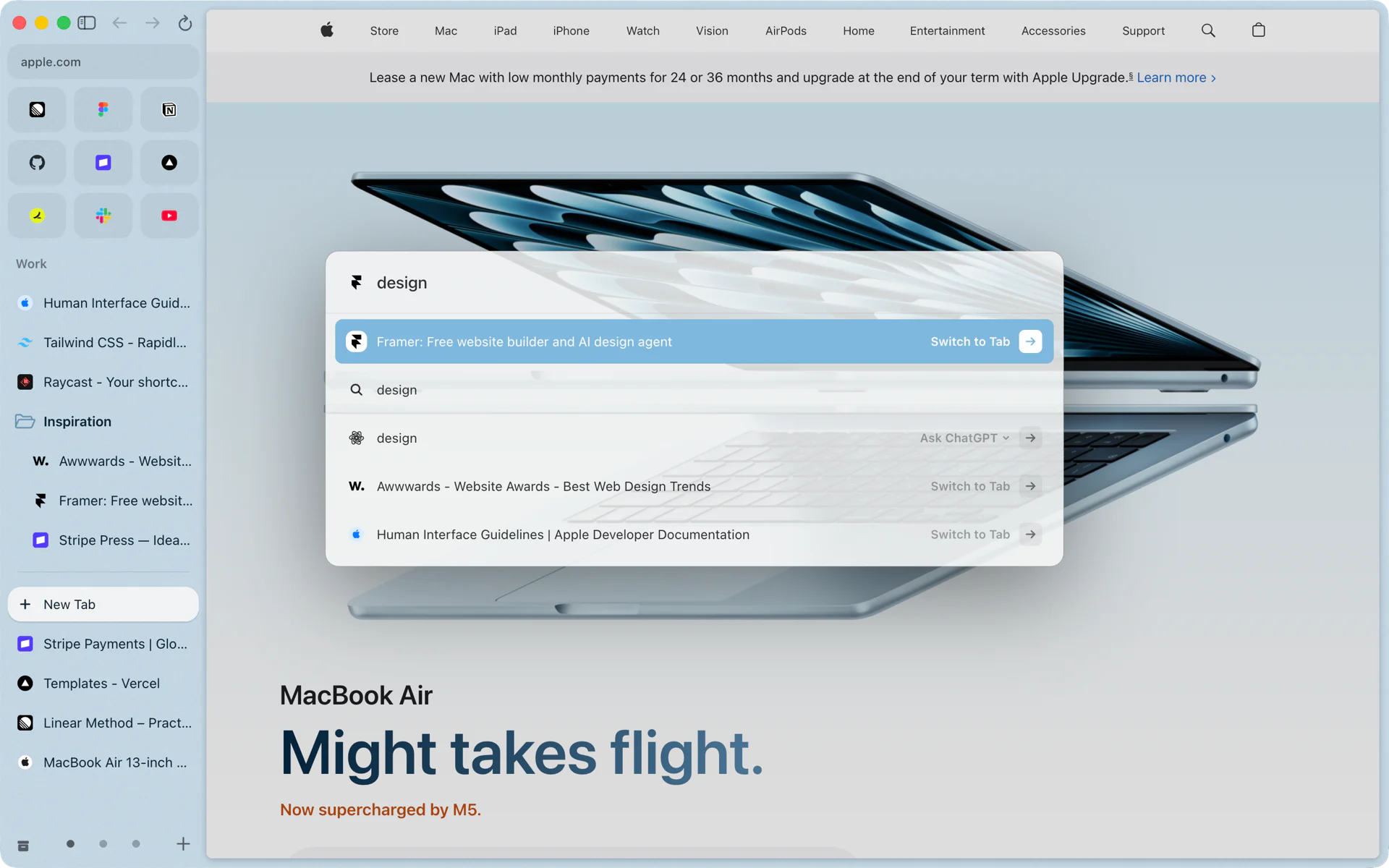
ChatGPT Atlas, OpenAI's browser for Mac, has been retired. Rio is a free, open-source Chromium browser for Mac that keeps working, and its command bar still gets you to ChatGPT: type a question, pick the Ask row, and ChatGPT opens in a tab with your question. You can switch the row to Claude or Grok.
Side by side
| Rio | ChatGPT Atlas | |
|---|---|---|
| Status | Updated: 8 releases from its launch on November 10 to build 1474 on November 12, 2026 | Retired; "no longer receives updates" |
| Account to start | None | Sign in to ChatGPT on first open |
| ChatGPT | One keystroke away: the Ask row opens chatgpt.com with your question | Built with ChatGPT at its core |
The Atlas cells come from OpenAI's own help center and launch post, listed at the end.
What happened to Atlas
OpenAI launched ChatGPT Atlas for macOS on October 21, 2025, as a web browser "built with ChatGPT at its core." On July 9, 2026, OpenAI's release notes said it was deprecating Atlas and that Atlas would stop working on August 9, 2026. OpenAI's help center now says Atlas has been retired and no longer receives updates, and that its bookmarks, open tabs and history do not transfer to another browser on their own.
Where Rio is ahead
- It keeps working. Rio updates itself and shipped 8 releases from its launch on November 10 to build 1474 on November 12, 2026. Its code is on GitHub under GPL-3.0, so anyone can read it, build it and keep it going.
- ChatGPT, one keystroke away. Press Cmd+T, type a question, and choose Ask ChatGPT. ChatGPT opens in a tab with your question as the first message, under your own ChatGPT account. OpenAI says your conversations are separate from Atlas and continue in ChatGPT. See Ask.
- Your pick of assistant. The same row opens Claude or Grok instead. Rio remembers which one you chose.
- No account to start. Rio runs without signing in to anything. Atlas asked you to sign in to ChatGPT the first time you opened it.
- A sidebar built for long days. Rio gives each part of your day a space with its own pinned tabs, folders and Today tabs, splits up to four pages side by side, and opens links in Peek over your page. See Spaces and Peek.
- AI on your Mac. Rio's tab tidying, short titles, download names and link summaries run on Apple's on-device model, free and without an account. See Tidy Tabs.
Starting fresh in Rio
If you used Chrome before Atlas, Rio's Import from Google Chrome brings your bookmarks, history, saved passwords, cookies and site data, so your sites stay signed in. If you came from Arc, Rio imports your spaces, pinned tabs and favorites in one step. See Move from Arc to Rio.
Questions
Is ChatGPT Atlas still available?
No. OpenAI's release notes of July 9, 2026 said Atlas would stop working on August 9, 2026, and OpenAI's help center says Atlas has been retired and no longer receives updates.
Can I still use ChatGPT from my browser?
Yes. In Rio, press Cmd+T, type your question and choose Ask ChatGPT. ChatGPT opens in a tab with your question as the first message. OpenAI says your ChatGPT conversations are separate from Atlas and stay in ChatGPT.
Do I need an account to use Rio?
No. Rio has no account, and it runs without signing in to anything. You stay signed in to ChatGPT on chatgpt.com, as in any browser.
Can I use Claude or Grok instead?
Yes. The menu on the Ask row switches between ChatGPT, Claude and Grok, and Rio remembers your pick.
Sources
- OpenAI Help Center, ChatGPT Atlas retirement
- OpenAI Help Center, ChatGPT release notes: Retiring Atlas (July 9, 2026)
- OpenAI, Introducing ChatGPT Atlas (October 21, 2025)
- Rio source, the Ask row's assistants (command/ask.ts)
- Rio releases, build 1250: Chrome import brings passwords, cookies and site data (November 11, 2026)
- Rio releases on GitHub
- Rio source code on GitHub (GPL-3.0)
