The best Arc alternative for Mac in 2026
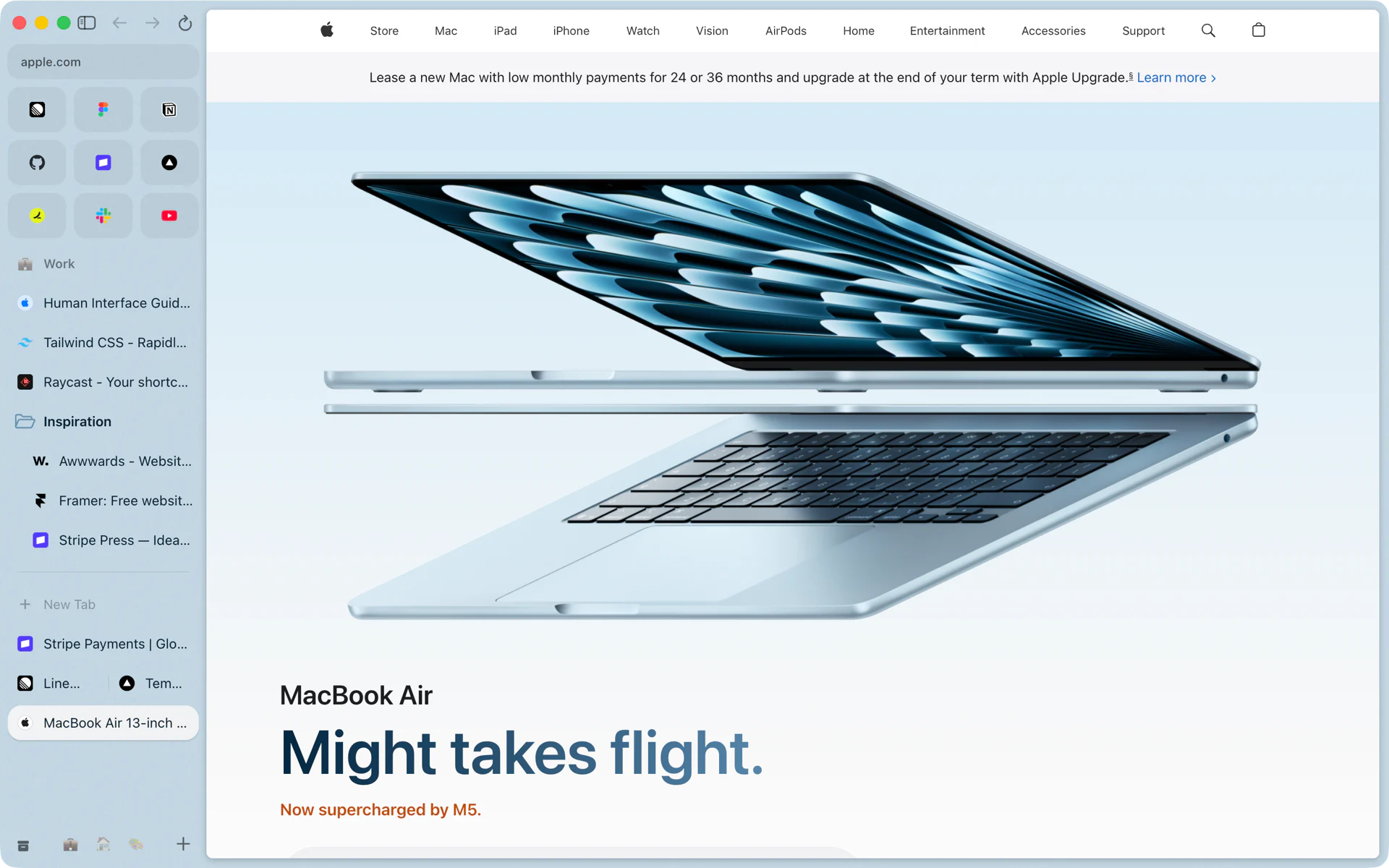
Rio is a free, open-source browser for Mac that keeps Arc's sidebar as it was: spaces with their own pinned tabs, folders and Today tabs, favorites, Peek, split view and Arc's keyboard shortcuts. It imports your Arc setup in one step, runs Chrome extensions on Chromium 158 and needs no account.
What an Arc alternative has to keep
I ran my whole day in Arc: 4 spaces, 38 pinned tabs and 29 favorites. When Arc stopped getting new features, I tried the other browsers, and none of them kept the sidebar the way I used it. So I built Rio on Chromium 158 and moved my setup over in one click.
Arc's own sunset FAQ is a good checklist of what people relied on. It names the sidebar, spaces, favorites, pinned tabs, folders, the Tab Switcher, split view, the command bar, tab archiving and Chrome extensions, and then a list of features it says aren't available in Dia: Air Traffic Control, Boosts, Easels, Little Arc, Peek, TypeTravel and Instant Links.
Why Rio
| What you used in Arc | In Rio |
|---|---|
| Spaces | Spaces, each with its own pinned tabs, folders, Today tabs and up to three theme colors. Swipe to switch. |
| Favorites | A grid at the top of the sidebar |
| Pinned tabs and folders | The same, and a pinned tab remembers the page it was pinned on |
| Tab archiving | Today tabs archive after 12 hours by default, or 24 hours, 7 days or 30 days |
| Command bar on Cmd+T | The same key: open tabs, search, addresses, commands and Ask |
| Tab Switcher on Ctrl+Tab | Ctrl+Tab moves through your recent tabs |
| Split view | 2 to 4 panes, each with its own address bar |
| Peek | Shift-click any link |
| Little Arc on Cmd+Option+N | A Mini window on the same key; links from other apps open in one |
| Instant Links | Shift+Return in the command bar goes straight to the top result |
| Boosts | Site tweaks: colors, contrast, brightness, font and text size per site, and Zap Elements to hide parts of a page |
| Keyboard shortcuts | All 28 Mac shortcuts on Arc's help page, on the same keys |
| Chrome extensions | Chrome Web Store, Manifest V3 included, plus side panel extensions, which Arc does not support |
The import is the other half. On first launch Rio reads Arc's files on your Mac and brings your spaces with their names, icons and colors, profiles, pinned tabs, folders, favorites, Today tabs, bookmarks, history, saved passwords and sign-ins. Your Work space comes back as a Work space.
How the others handle Arc's sidebar
Each of these facts comes from the browser maker or a published source, listed at the end of this post.
- Dia. Arc's sunset FAQ says your spaces become Dia profiles and your folders become pinned tab groups, and that Dia uses its own account. Rio keeps spaces as spaces and needs no account.
- Zen. Zen is built on Firefox, and its docs point to addons.mozilla.org for extensions. Rio installs from the Chrome Web Store.
- Chrome. Google added vertical tabs to Chrome in April 2026, without spaces. Rio's sidebar is split into spaces.
- Safari. Safari's vertical tabs are in the macOS 27.3 beta, and Safari's extensions come from the App Store. Rio's sidebar ships today and runs Chrome extensions.
Speed and memory
On Speedometer 3.1, Rio scored 97.8 against Chrome's 100 on the same Mac. BrowseRating's published scores put Arc at 91.0% of its Chrome score, on a different Mac. With the same 10 sites open on one MacBook Pro, Rio added 3,573 MB of memory, the mean of 3 runs on an empty test profile, and Arc added 5,385 MB in 1 run on a profile with extensions, so only the added memory compares. The details are in Rio on Speedometer 3.1 and Rio uses less memory than Arc.
What it costs
Nothing. Rio is free, needs no account and is open source under GPL-3.0, with its code on GitHub. It updates itself, and it shipped 8 releases from its launch on November 10 to build 1474 on November 12, 2026. Rio is made for the Mac: Apple silicon, macOS 13 or later.
Moving over
Arc stops working on December 22, 2026. Rio reads Arc's files without changing them, so you can import today and keep both open until then.
Questions
Is Rio made by The Browser Company?
No. Rio is an independent project by Levon Adamyan. It contains none of Arc's code and is not affiliated with or endorsed by The Browser Company.
Does Rio have Peek and Little Arc?
Rio has Peek: Shift-click a link to open it over your page. Arc's Little Arc key, Cmd+Option+N, opens a Rio Mini window, and links from other apps open in one too.
Is Rio free?
Yes. It's free to use, and the code is open source under GPL-3.0.
Do I need an account?
No. Rio has no account and works without signing in to anything.
Sources
- Arc Help Center, Arc sunset FAQ (features in Dia and features not in Dia)
- Arc Help Center, Arc sunset: key dates and what to expect (October 22, 2026)
- Arc Help Center, Keyboard Shortcuts (archived July 25, 2026)
- Page Assist README, Browser Support (Arc: sidebar not supported)
- Zen docs, Extensions: add-ons from addons.mozilla.org
- Google, New Chrome productivity features (vertical tabs, April 7, 2026)
- 9to5Mac, macOS 27.3 beta adds vertical tabs to Safari (November 3, 2026)
- Safari User Guide, Get extensions
- BrowseRating, macOS ARM Speedometer 3.1 rankings (October 3, 2026)
- Rio source, Site tweaks controls (tweaks.ts)
- Rio releases on GitHub
