The Library: downloads and screenshots in your sidebar
Rio's Library lives in the sidebar. It holds your downloads, your Mac's screenshots, every space side by side, your site tweaks and the Today tabs Rio archived. Press Cmd+Shift+L to open it, then drag any file straight into Gmail, Slack or Finder. Downloads with junk names get readable ones.
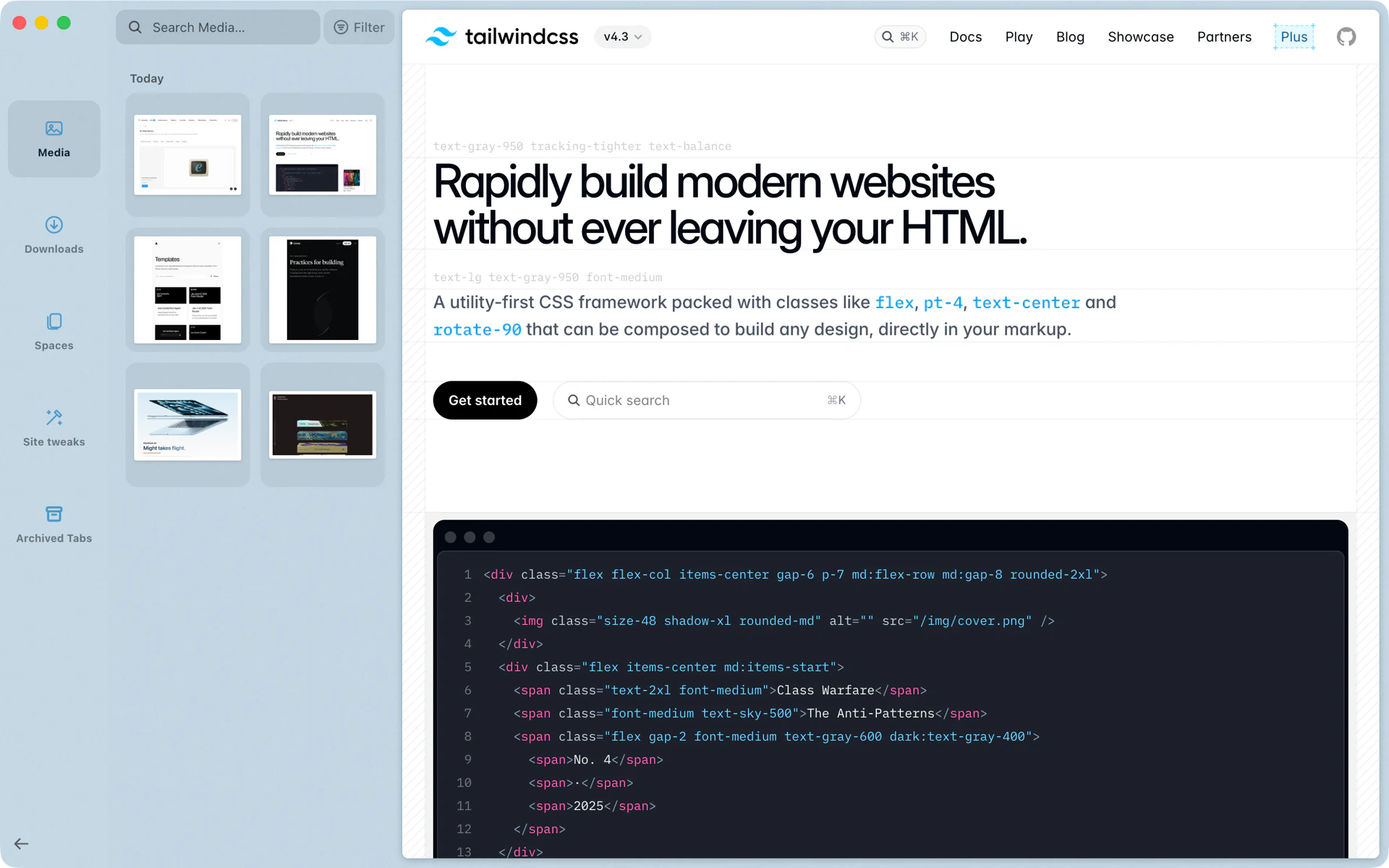
A screenshot into Slack in two moves
A teammate asks what the new pricing page looks like. Press Shift+Cmd+4 and drag over the pricing table, as you would in any app. The screenshot shows up in the Library under Media, at the top of Today. Drag it from the sidebar into your Slack message and send.
The invoice you downloaded from Stripe an hour ago is under Downloads. Drag it into a Gmail draft the same way. Neither file needed a trip to Finder.
What's in the Library
- Media. The screenshots and screen recordings in your Mac's screenshot folder, grouped by day, with search and a filter.
- Downloads. Everything you downloaded in Rio, plus the other files in your Downloads folder.
- Spaces. Every space side by side, so you can see all your sidebars at once.
- Site tweaks. The tweaks you saved for websites, such as a darker theme or a bigger font on one site.
- Archived Tabs. The Today tabs Rio archived.
Open it with Cmd+Shift+L, or type library in the command bar. It opens in the sidebar, so the page you were on stays where it was.
Screenshots and captures
Media lists your Mac's screenshot folder, so every screenshot you take with Shift+Cmd+3, 4 or 5 is there, grouped under the day you took it: last Tuesday's screenshots are under last Tuesday. The moment a new one lands, a card at the bottom of the sidebar shows it.
Shift+Cmd+2 is Rio's own capture of part of the page. The same command is in the File menu as Capture, and in the command bar, where typing screenshot finds it too. The image goes to your clipboard, ready to paste, and the Download button beside it saves a PNG that shows under Downloads. See Capture.
Downloads with names you can find
Downloads often arrive with names like 387494876.pdf or file (2).pdf. Tidy Downloads renames those once they finish. Only junk names change: strings of digits, hex or ids, and names like download, file or document, with or without a copy number. A file that already has a real name keeps it.
The new name comes from the page you downloaded it from. On a Mac with macOS 26 and Apple Intelligence, Apple's on-device model writes a clear name of two to six words. On other Macs, Rio's own rules use the page's title. Either way the extension stays, and if the new name is already taken in the folder, the file keeps its own.
Tidy Downloads is on by default, with a switch in Settings, AI features.
Archived tabs
Tabs you open land in Today. Rio archives the ones you haven't opened for 12 hours by default; each profile can choose 24 hours, 7 days or 30 days instead, in Settings, Profiles. Pinned tabs and favorites stay. Archived tabs aren't gone: they are in the Library under Archived Tabs, ready to reopen.
Cmd+Shift+K clears every Today tab at once, and the toast that follows has Undo.
Drag out, anywhere
Anything in Media or Downloads drags out of the sidebar into any app that takes files: Gmail, Slack, Finder, Notion, a Keynote slide.
Questions
How do I open Rio's Library?
Press Cmd+Shift+L, or type library in the command bar.
Where do my screenshots go?
Media lists your Mac's screenshot folder, so screenshots you take with Shift+Cmd+3, 4 or 5 show there, grouped by day. Rio's own Shift+Cmd+2 capture goes to your clipboard, and its Download button saves a PNG that shows under Downloads.
Why did my download get a new name?
That is Tidy Downloads. Files with junk names, such as 387494876.pdf or file (2).pdf, get a name that says what they are. The extension stays. Turn it off in Settings, AI features.
Where are the tabs Rio archived?
In the Library under Archived Tabs. Rio archives Today tabs after 12 hours by default, or after 24 hours, 7 days or 30 days.
Sources
- Rio source, Open Library and Clear Today Tabs (commands/archive.ts)
- Rio source, Capture on Shift+Cmd+2 (commands/engine.ts)
- Rio source, the Library's Downloads and Media lists (libraryModel.ts)
- Rio source code on GitHub, including the Tidy Downloads rules
- Rio source, Tidy Downloads in Settings, AI features (AiPane.tsx)
- Rio source, Today tab archive setting (settings.ts)
- Rio releases, build 1446: Shift+Cmd+2 capture, from File and the command bar (November 12, 2026)
- Rio releases, build 1055: the Library's Spaces view (November 10, 2026)
