Hover Previews
Hover Previews in Rio show where a link goes before you click it. Hold Shift over a link for a moment and the page opens in Peek, over the one you are reading, with a two or three sentence summary at the top. Move the pointer away and it closes. Rio is free and open source.
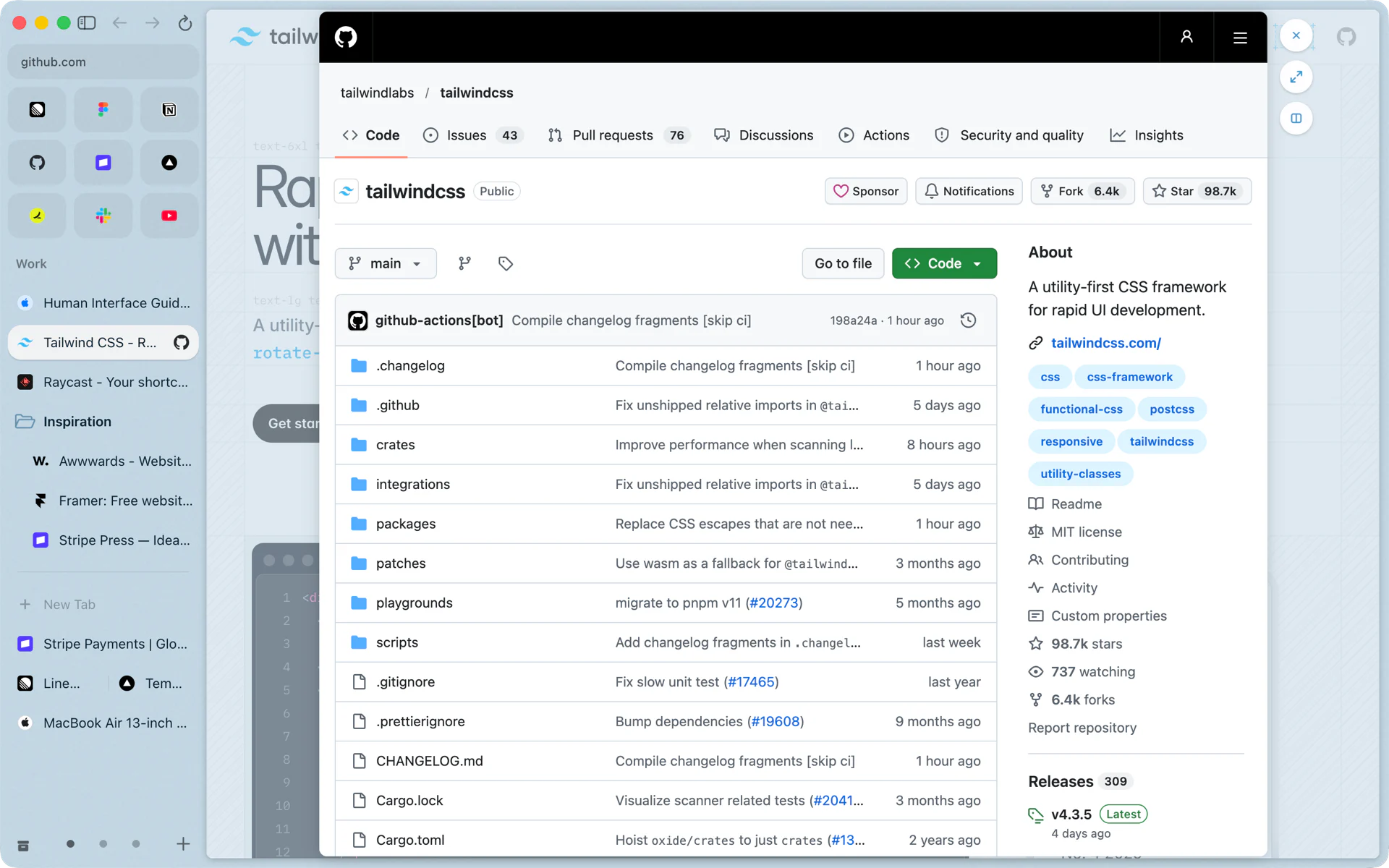
Is this link worth opening?
You are reading a long thread and a comment links to a blog post. Hold Shift and rest the pointer on the link. Less than half a second later the post opens in Peek over the thread, and a strip at the top says in two or three sentences what it covers. Move the pointer off the link and Peek closes. You never left the thread, and no tab was added to your sidebar.
How it behaves
- Shift in either order. Press Shift and then point at the link, or point first and then press Shift. Rio opens the preview once both have held for about 400 milliseconds.
- The summary. Rio reads the start of the linked page's text and asks Apple's on-device model for two or three short, plain sentences about it. The page itself shows under the summary.
- It closes on its own. Once the pointer moves away from where the preview opened, Rio closes it. A Peek you open with a Shift-click stays until you close it.
- Keeping a page. If the preview looks useful, Shift-click the link. That Peek stays, and its buttons open the page as a tab (Cmd+Shift+O) or in a split view next to your page.
- Web links only. Hover Previews open http and https links, and they are off in private windows.
What it needs
The summary comes from Apple's on-device model, which runs on Macs with macOS 26 or later and Apple Intelligence turned on. It is free, needs no account, and the page's text stays on your Mac. Without the model, the preview still opens the page in Peek, without the summary at the top.
Turning it on or off
Hover Previews are on by default. Switch them off in Settings, AI features. Shift-click still opens links in Peek; that switch is in Settings, Links. See Peek.
Questions
How long do I hold Shift?
About 400 milliseconds with the pointer on the link. Shift can go down before or after the pointer gets there.
Where does the summary come from?
From Apple's on-device model on your Mac. Rio reads the start of the linked page's text and asks the model for two or three short sentences. Nothing goes to a server.
What is the difference from Shift-clicking a link?
A Shift-click opens the link in Peek and it stays until you close it. A hover preview closes on its own when you move the pointer away from the link.
Do Hover Previews work in private windows?
Private windows leave them off. Everywhere else they open web links (http and https).
