Instant Links
Instant Links in Rio skips the results page. Type a search in the command bar, press Shift+Return instead of Return, and Rio opens the top result. It works with Google, Rio's default search engine, and with DuckDuckGo. Rio is a free, open-source Chromium browser for Mac with an Arc-style sidebar.
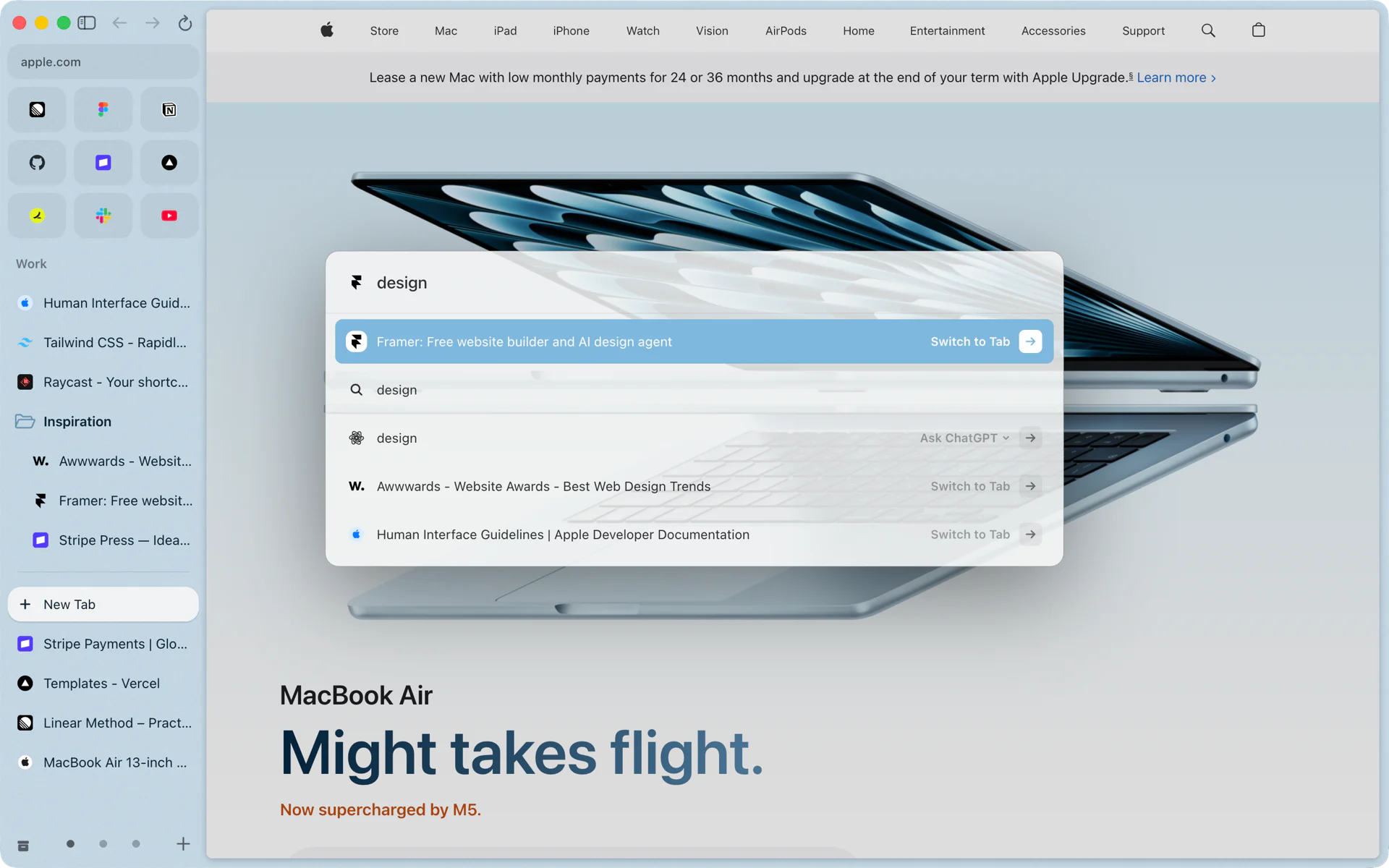
Straight to the page you meant
You want the pricing page of a tool a friend mentioned. Press Cmd+T, type its name and the word pricing, then press Shift+Return. Rio opens the page Google ranks first for that search, and you never see the results page. If it was the wrong page, Cmd+[ takes you back and you can search the usual way.
How it works
Instant Links asks your search engine for its first result instead of a list.
- Google, Rio's default, has an I'm Feeling Lucky search. Google often answers it with a Redirect Notice page instead of the result. Rio reads the result's address from that notice and loads it directly, so you land on the page itself.
- DuckDuckGo opens its first result when a search starts with a backslash. Rio adds it for you.
- Bing, Brave and Ecosia have no first-result address, so Shift+Return runs the search as usual.
A few details:
- Add Cmd to open the result in a new tab (Cmd+Shift+Return), or Option to open it in a split view (Option+Shift+Return).
- If you arrow down to a search suggestion, Shift+Return opens the top result for that suggestion.
- On a row that is not a search, such as an open tab, a page from your history or an address, Shift+Return does what Return does.
- The search engine is set per profile, in Settings, Profiles. Each profile can use Google, DuckDuckGo, Bing, Brave or Ecosia.
Where it lives
Instant Links is on by default and has its own switch in Settings, AI features. Turn it off and Shift+Return no longer skips the results page. It needs no model and works on every Mac Rio runs on.
The rest of the command bar
Cmd+T also switches to open tabs, runs commands such as Capture and Clear Today Tabs, and sends a question to ChatGPT, Claude or Grok from its Ask row. See the command bar and Ask.
Questions
What does Shift+Return do in Rio's command bar?
On a web search, it opens the search engine's top result instead of the results page. On anything else, such as an open tab or an address, it does what Return does.
Which search engines does Instant Links work with?
Google and DuckDuckGo. With Bing, Brave or Ecosia as your engine, Shift+Return runs the search as usual.
Does Instant Links use AI?
No. Rio asks the search engine for its own first result: Google's I'm Feeling Lucky, or DuckDuckGo's backslash search. It sits in Settings, AI features with the other smart features.
Can I turn it off?
Yes. Open Settings, AI features, and switch off Instant Links. Shift+Return then no longer skips the results page.
Sources
- Rio source, the first-result address for Google and DuckDuckGo (command/ask.ts)
- Rio source, Shift+Return in the command bar (useCommandBar.ts)
- Rio source, the Instant Links switch (AiPane.tsx)
- Rio source, Instant Links on by default and the search engine choices (settings.ts)
- Rio source code on GitHub, including how Rio follows Google's redirect to the result
