Favorites
Favorites in Rio are the sites you use all day, as icon tiles at the top of the sidebar. Every space on the same profile shares them. A red dot shows unread items, and hovering a Gmail, Google Calendar or Meet favorite opens a card with your newest mail or your day. Rio is free and open source.
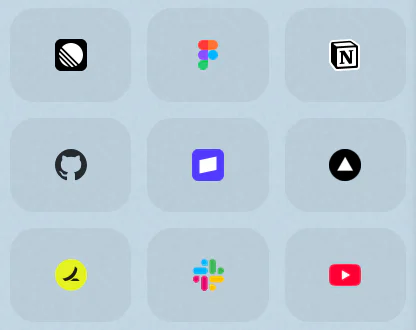

The nine sites you open all day
Linear, Figma, Notion, GitHub, Stripe, Vercel, Slack and YouTube sit in a three by three grid at the top of your sidebar. Click Slack and you are in Slack, from any space on that profile. When the Gmail tile shows a red dot, rest the pointer on it: a card opens under the tile with your newest unread mail, and you decide whether it can wait without opening Gmail.
How the grid works
- Icons only. Each tile shows the site's icon, with no title to read. The grid has two, three or four columns depending on how wide your sidebar is.
- Shared by a profile. Every space on the same profile shows the same favorites. Give a space its own profile and it gets its own grid, with its own logins.
- The tile you are on takes a ring in the space's main color.
- Unread dots. A tile gets a small red dot when its page's title carries an unread count, such as new mail or new messages.
- Like rows. Drag tiles to reorder them, drag a tab in to add it, and select several at once, the same as tabs in the sidebar. The grid holds up to 48.
- Links stay out. A link from a favorite to another site opens in Peek, so your Slack tile stays on Slack.
Previews on hover
Some favorites show what is new without opening:
- Gmail shows a card with your newest unread mail. The red dot and the card always show the same count.
- Google Calendar and Meet show a compact view of your day.
The card opens just under the tile a moment into a hover and closes when you move on. A pinned Calendar tab shows your next event and today's date right in its row.
Coming from Arc
Rio's Arc import brings your favorites over with your spaces and pinned tabs. See Move from Arc to Rio.
Questions
Do favorites change when I switch spaces?
Not between spaces on the same profile: they all share one grid. A space on another profile has its own favorites, along with its own logins.
How do I add a favorite?
Drag a tab into the grid at the top of the sidebar, or use Move To, Favorites in a tab's menu. The grid holds up to 48.
What does the red dot on a favorite mean?
The site's page title has an unread count, such as new mail or messages. On a Gmail favorite, the dot and its card show the same count.
Which favorites preview on hover?
Gmail shows your newest unread mail. Google Calendar and Meet show a compact view of your day. The card opens under the tile a moment into a hover.
Sources
- Rio source, the favorites grid, its unread dot and its previews (FavoritesGrid.tsx)
- Rio source, up to 48 favorites (tabs.ts)
- Rio releases, build 1250: the Gmail favorite's unread dot and card with your newest mail (November 11, 2026)
- Rio releases, build 1310: a compact day view on Google Calendar and Meet favorites (November 11, 2026)
- Rio releases, build 1407: a pinned Calendar shows your next event and today's date (November 11, 2026)
- Rio source, links from favorites to other sites open in Peek (LinksPane.tsx)
